
Staying connected while on the move has become a part of everyday life, whether for work, travel, or keeping in touch. In the United States, options like public hotspots or relying on a phone's data plan don't always cut it—they can be slow, insecure, or drain your battery fast. That's where portable WiFi comes in. This guide walks through everything you need to know about portable WiFi in the U.S.: what it is, how it works, the different types of devices and data plans available, where to find them, and what factors to consider when choosing a solution. Think of it as a practical overview for anyone looking to understand their on-the-go internet options better.
What is Portable WiFi?
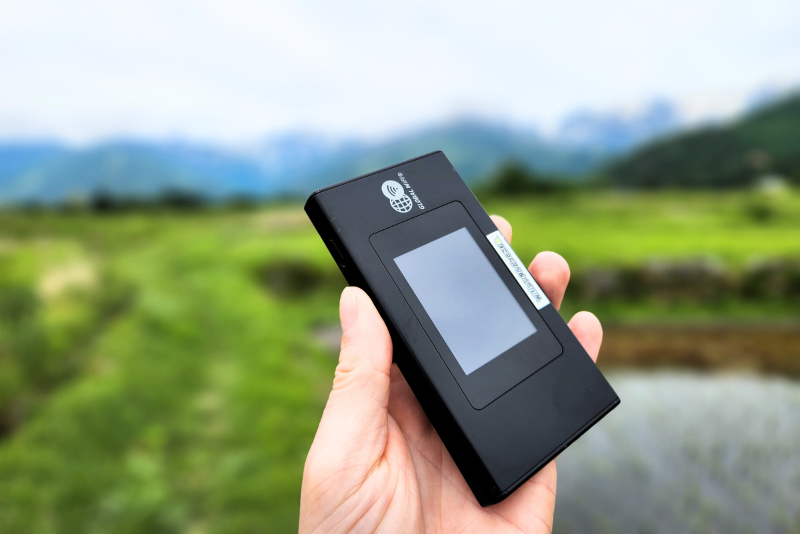
Portable WiFi, also known as a MiFi, mobile hotspot, or pocket WiFi, is a small, battery-powered device that creates a personal, private Wi-Fi network you can take anywhere . It uses a cellular network—like 4G LTE or 5G—to get online and then broadcasts a signal that your laptop, tablet, smartphone, and other Wi-Fi enabled devices can connect to, just like they would at home or in a coffee shop .
The key difference between "Wi-Fi" and "MiFi" is that Wi-Fi is the wireless technology itself, while a MiFi device is the portable gadget that creates that Wi-Fi signal by tapping into a mobile network . This means you have your own secure bubble of internet, independent of public networks.
How Does a Portable WiFi Device Work?
These devices are essentially compact, battery-powered versions of a home broadband router. Instead of connecting to a cable or fiber line, they use a cellular data connection .
Here's a simple step-by-step of how they function :
- Cellular Connection: A SIM card or an embedded eSIM inside the device connects to a mobile carrier's 4G LTE or 5G network.
- Wi-Fi Broadcast: The device then creates a secure, password-protected Wi-Fi network.
- Device Connection: Your laptops, phones, and tablets can connect to this network. Most devices support connecting anywhere from 5 to 10 or even 32 devices at the same time .
- Portable Power: All of this runs on a built-in rechargeable battery, lasting anywhere from 6 to 28 hours depending on the model and usage, allowing you to use it without being plugged into a wall outlet .
Advantages and Limitations of Using Portable WiFi
Like any technology, portable WiFi comes with its own set of pros and cons .
Advantages:
- Security: It provides a private, encrypted connection, which is much safer than using unsecured public Wi-Fi networks in places like airports, cafes, or hotels .
- Multi-Device Connectivity: A single device can keep an entire group connected—great for families or work trips. Instead of each person buying a separate data plan, everyone can share one connection .
- Preserves Phone Battery: Using your phone as a hotspot drains its battery very quickly. A portable WiFi device handles the data sharing, leaving your phone's battery for calls, texts, and apps .
- Predictable Costs: With a rental or a dedicated data plan, you know exactly what your connectivity costs will be, helping to avoid surprise roaming charges .
Limitations:
- An Extra Device: It's one more gadget to remember to charge, carry, and keep track of during your day or trip .
- Coverage Dependence: The device only works where there's cellular network coverage. Performance can vary based on your location, network congestion, and the device's capabilities .
- Cost: While predictable, the cost of renting a device or a monthly plan can add up. For a single user, other options like a local SIM card or eSIM might be more economical .
- Speed Sharing: When multiple devices are connected and using data at the same time, the overall speed is shared, which can slow things down for everyone .
Portable WiFi Options: Buying vs. Renting
In the U.S., you generally have two main paths for getting a portable WiFi device: buying your own or renting one for a specific period.
Buying a Device and a Plan
This is a good long-term solution for frequent travelers, remote workers, or anyone who needs a reliable backup internet source. You purchase a portable hotspot device (often called a "pocket WiFi modem") and sign up for a mobile broadband data plan with a carrier .
- Where to Buy: Major carriers like T-Mobile, as well as electronics retailers, offer a variety of unlocked devices .
- Device Costs: Devices can range from under $100 for basic 4G models to well over $300 for advanced 5G-capable units .
- Plan Types: Plans can be prepaid or postpaid, often with no annual contract. You can choose from different data allowances, from a few gigabytes to "unlimited" data plans (though these may have speed restrictions after a certain usage threshold) .
Renting a Device for a Trip
Renting is a convenient choice for visitors to the U.S. or for Americans taking a specific trip and not wanting to invest in a permanent device. Several companies specialize in shipping portable WiFi hotspots to your home, hotel, or offering pickup at major airports .
- Rental Providers: Companies like WiFiDASH, Cello Mobile, TravelersWifi, and Rent 'n Connect offer rental services for the U.S. .
- Rental Costs: Daily rental rates vary widely, from around $6 to $50 per day, depending on the provider and the data allowance .
- Logistics: Rental requires planning for delivery and return, with potential late fees if you miss the return deadline . A security deposit may also be held on a credit card .
Understanding Data Plans and Allowances
Whether you buy or rent, the data plan is a crucial part of the equation. Providers structure their plans in a few different ways :
| Plan Type | How It Works | Best For |
|---|---|---|
| Capped Data Plans | A set amount of high-speed data per day or month. For example, a plan might include 5 GB or 10 GB of data. | Users who have a good handle on their typical data usage for browsing, email, and social media. |
| "Unlimited" Data Plans (with Fair Use) | Offers a large or "unlimited" amount of data, but a "fair use policy" often applies. After a certain threshold (e.g., 500 MB per day or 30 GB per month), speeds may be reduced significantly . | Heavy users who need to stay connected but don't require maximum speeds for data-intensive tasks like 4K video streaming all day. |
| Truly Unlimited High-Speed Data | A premium plan with no data caps and no throttling, allowing for maximum speeds at all times. These are typically more expensive . | Users who need to consistently stream high-definition video, use video conferencing, or download large files without interruption. |
When choosing a plan, it's helpful to think about what you'll be doing. A study cited in a travel resource noted that 80% of travelers consider Wi-Fi essential to their trips . Light browsing and messaging use very little data, while streaming video or using video calls consumes much more.
Setting Up and Using a Portable WiFi Device
Getting started with a portable WiFi device is generally straightforward .
- Get the Device and Plan: Purchase or rent the device and ensure it has an active SIM or eSIM with a data plan.
- Power On: Charge the device fully and turn it on.
- Find Your Network: On the device's screen or on a sticker on the device itself, locate the network name (SSID) and the password.
- Connect Your Devices: On your phone, laptop, or tablet, go to the Wi-Fi settings, select the network name from the list, and enter the password. You're connected.
For better performance and security, it's a good practice to change the default admin password for the device itself and to keep an eye on your data usage, which can often be monitored through a device app or web dashboard . Carrying a small power bank can also be a lifesaver to recharge the device on long days without access to an outlet .
Frequently Asked Questions (FAQ)
Q: What's the difference between portable WiFi and using my phone as a hotspot?
A: A portable WiFi device is dedicated solely to creating a hotspot. This preserves your phone's battery and typically allows you to connect more devices at once with a more stable connection . Using your phone as a hotspot can drain its battery very quickly and is usually limited to fewer devices .
Q: Is portable WiFi better than public Wi-Fi?
A: For security, yes. Portable WiFi creates a private, encrypted network, making it much safer for activities like online banking or accessing work accounts than using an open public network . Public Wi-Fi is often unsecured and can be slow due to many users .
Q: How much data will I need for my trip?
A: It depends on your usage. Checking maps, email, and browsing social media uses a moderate amount. Streaming video or music, and using video calls, uses significantly more. If you're a light user, a plan with a few gigabytes per day might suffice. For heavy streaming, look for an unlimited plan .
Q: What happens if I return a rental device late?
A: Most rental companies charge a late fee. This can be a daily charge, sometimes as high as $10 per day, or they may charge you for an extra rental day .
Q: Does portable WiFi work everywhere in the U.S.?
A: It works wherever there is a cellular signal from a U.S. carrier, such as AT&T, Verizon, or T-Mobile . Coverage is generally excellent in cities and along major highways, but it can be limited or unavailable in very remote rural or mountainous areas .
Sources
- https://www.verizon.com/articles/wifi-hotspot-service-data-plans/what-is-mifi/
- https://www.netgear.com/on-the-go/hotspots/mr6550/
- https://www.netgear.com/ie/home/mobile-wifi/hotspots/mr5200/
- https://www.netgear.com/uk/home/mobile-wifi/hotspots/mr1100/
- https://www.netgear.com/uk/hub/wifi/mobile/how-do-mobile-hotspots-work/
- https://www.t-mobile.com/home-internet/the-signal/internet-devices/what-is-portable-wifi
- https://www.t-mobile.com/cell-phone-plans/affordable-data-plans/hotspots
- https://www.verizon.com/plans/devices/hotspots/
- https://www.verizon.com/support/mobile-hotspot-faqs/
- https://www.att.com/prepaid/mobile-hotspot-tablet/
- https://www.rentnconnect.com/usa-pocket-wifi
- https://wifidash.us/
- https://www.travelerswifi.com/
- https://www.cellomobile.com/
- https://myroami.com/internet/pocket-wifi-usa/
- https://esim.simsolo.com/en/blog/data-plans/pocket-wifi-for-usa/
- https://esim.holafly.com/internet/portable-wifi-for-travel/
- https://www.highspeedinternet.com/resources/wifi-in-the-travel-industry
- https://www.viasat.com/news/latest-news/aviation/2023/free-in-flight-wi-fi-now-most-influential-factor-other-than-ticket-price-for-airline-passengers-reveals-new-viasat-survey/